CONNECTED BUSINESS WORKFLOWS
WhatsApp Automation Software That Reduces Repetitive Work
Your team should not have to type the same answer fifty times. Automate the routine parts of customer conversations while keeping real people available for the moments that need them.
From a new lead to an order update, connect incoming WhatsApp conversations to practical rules, teams and supported AI assistance.
PRACTICAL AUTOMATION
What is WhatsApp automation?
WhatsApp automation is the use of rules, templates, integrations or AI to complete parts of a customer communication workflow through WhatsApp. It can handle repetitive requests, route enquiries, issue eligible updates and invite human takeover when needed.
Not every workflow needs AI
A store-hours question can use a simple rule. A product question may need connected catalogue data. An unusual complaint should reach a person. Choose the simplest reliable process for each task.
Customer: “Can your team help with this?”
Business: “Yes. Could you share the product, quantity or issue so we can direct your enquiry to the right person?”

Common workflows worth automating
Welcome and menu replies; lead qualification; cart and order follow-ups when eligible; appointment reminders; delivery updates; customer service triage; and assignment of high-intent conversations to the sales team.
Welcome & Triage
Instant greeting menus, store hours and department routing.
Lead Qualification
Capture requirement details, quantity and city before assigning.
Cart & Order Alerts
Permitted cart reminders, dispatch updates and live tracking links.
High-Intent Handoff
Direct high-value buying queries directly to active team members.
ENGINEERING THE JOURNEY
How an automation flow is built
Choose the trigger, capture customer permission where required, define the message or response, connect approved data, set exception handling, and test with realistic scenarios before switching it on.
AI plus human handover
AI can reduce repetitive questions, but its answer quality depends on the approved business knowledge and system connections. When the answer is uncertain, a payment dispute arises or a customer asks for a human, a handover process matters more than a clever reply.
Measure workload and service quality
Look for response time improvements, lead assignment speed, number of resolved routine enquiries and successful handovers. Publish only evidence-backed outcomes.
Why choose a connected workflow instead of isolated tools?
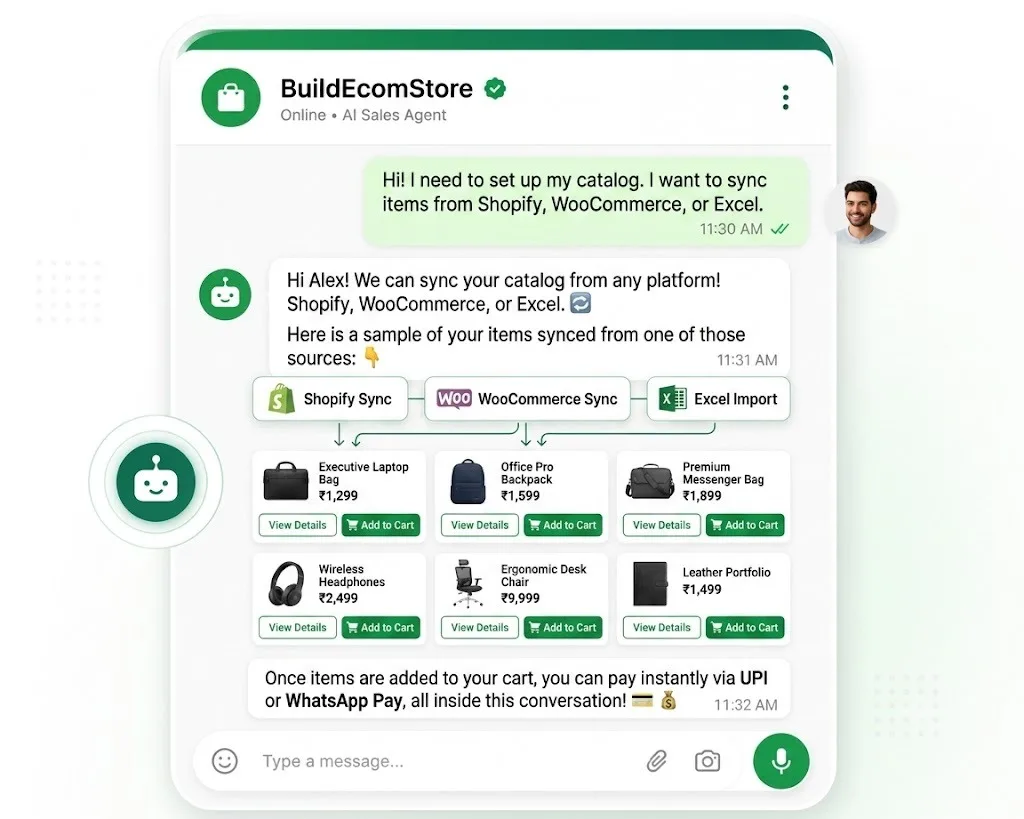
BuildEcomStore aims to bring customer conversations, team collaboration and related automation into a connected experience. The right setup should be based on your existing processes, channel permissions, available integrations and the role of your human team. Ask for a practical demo using a real scenario relevant to your business.
FREQUENTLY ASKED QUESTIONS
Common Questions About WhatsApp Automation
Answers to practical questions on timing, AI coverage, API requirements and follow-ups.
Configured automation can respond at any time, subject to channel restrictions, availability and your business setup.
No. Businesses can combine rule-based workflows, AI-assisted replies and human agents.
Many scalable automation workflows use the WhatsApp Business Platform. Exact setup depends on functionality and channel eligibility.
Yes, where the workflow is supported and messages meet WhatsApp consent, service-window and template requirements.
Ready to see a real use case?
Tell us how enquiries arrive today, where follow-ups are missed, and what your team needs to automate. We will discuss a setup that matches your workflows rather than recommend every feature by default.