SHARED TEAM INBOX & PIPELINE
WhatsApp CRM Software to Keep Every Enquiry Organized
A customer should not have to explain the same problem to three different teammates. Bring conversation history, lead details and next actions into one organized process.
Give your team a shared view of enquiries so sales, support and follow-up work do not disappear into personal chat lists.
UNDERSTANDING THE CHANNEL
What is WhatsApp CRM?
WhatsApp CRM refers to tools that connect customer records and sales or support workflows with WhatsApp messages. A shared inbox, lead assignment, notes and follow-up visibility can help teams manage conversations more consistently.
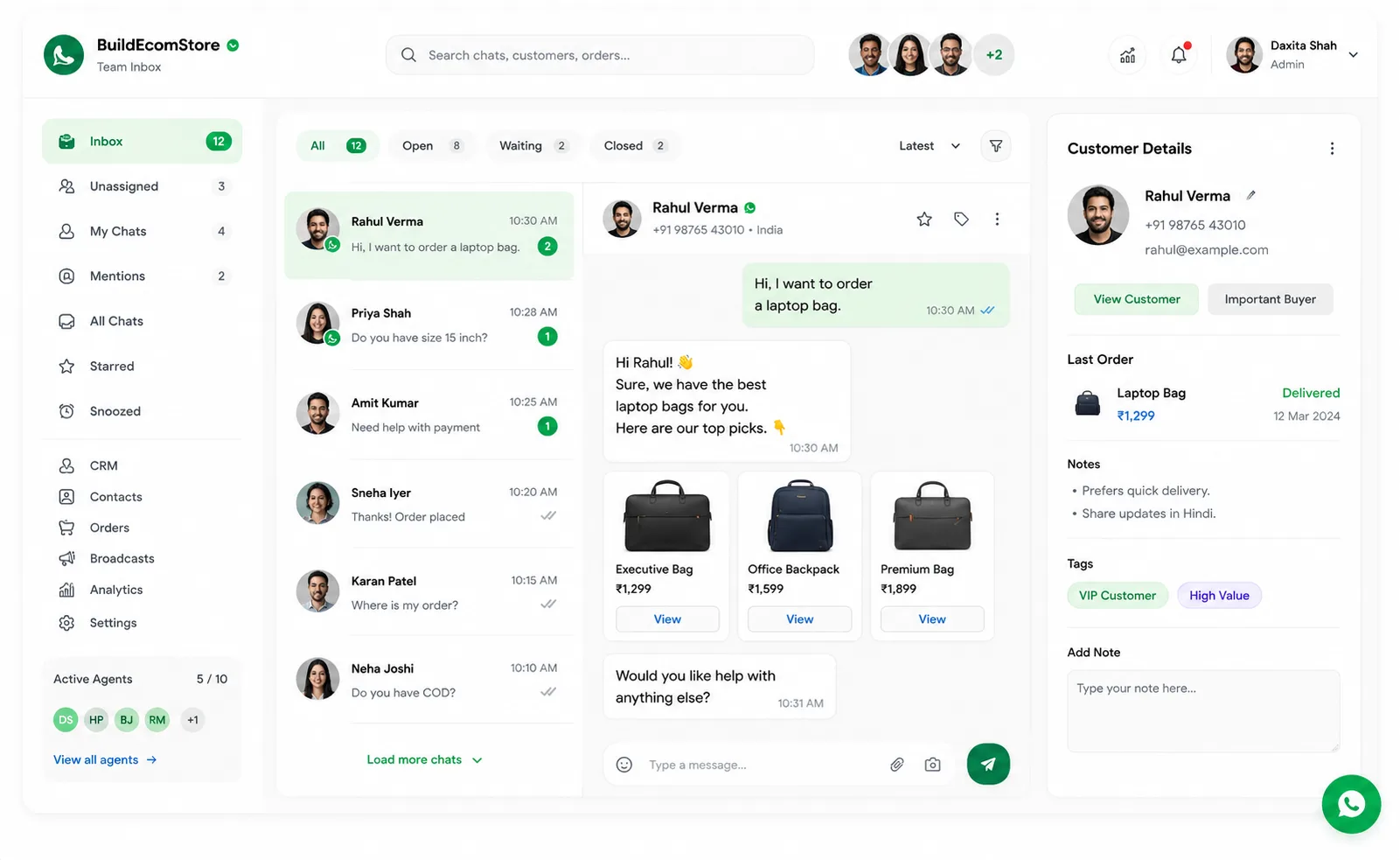
Core Capabilities for Modern Teams
Everything needed to transition from scattered chat histories to an auditable customer pipeline.
From chat to trackable lead
Capture an enquiry, record its source and requirements, assign an owner and track the next action. A conversation becomes more useful when somebody knows who is responsible.
Why choose a connected workflow instead of isolated tools?
BuildEcomStore aims to bring customer conversations, team collaboration and related automation into a connected experience. The right setup should be based on your existing processes, channel permissions, available integrations and the role of your human team. Ask for a practical demo using a real scenario relevant to your business.
Explore Related WhatsApp Solutions
Connect your shared inbox with specialized marketing and sales capabilities.
FREQUENTLY ASKED QUESTIONS
Frequently Asked Questions
The shared team inbox is designed for multi-agent handling when configured; confirm seat limits by plan.
These capabilities are described on the current site; verify the production workflow and permissions.
It may complement an existing CRM or cover lightweight needs; evaluate workflow and integration requirements first.
They can be organized into different responsibilities if the selected plan and permissions support it.
Ready to see a real use case?
Tell us how enquiries arrive today, where follow-ups are missed, and what your team needs to automate. We will discuss a setup that matches your workflows rather than recommend every feature by default.